Step 5: Test and verify data flow
In this step, you'll confirm the tunnel is working by checking that your visible IP address changes to reflect the router's location when traffic flows through the network.
-
Ensure the client identity is enabled/online:
Windows example:

-
Click into the identity and verify that the service what is my ip is now visible:
Windows example:
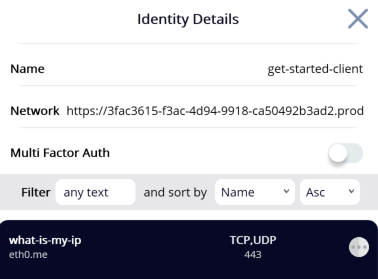
-
Open a browser and go to
https://eth0.me/. The resulting IP address should be the public IP address of the remote router. -
Disable the client identity in the desktop application.
-
Refresh the external IP checking service. The IP address should now revert to your local home IP address.
This change in reported IP address confirms that the data was intercepted, tunneled through the secure network, and egressed via the remote router.